When you buy something through one of the links on our site, we may earn an affiliate commission.
Do you want to leverage the 2.5 billion users who use YouTube every month to grow your email list? In this post, you'll learn how to build an email list from YouTube so you can communicate directly with your audience and increase revenue.
As the world's second-largest search engine and over one billion hours of video content watched per day, the platform is an excellent source for generating leads in your business.
Let's dive in.
Want a faster way to grow your YouTube channel and grow your list? TubeBuddy helps you find the right content and optimize your channel.
Contents
How to Build an Email List from YouTube
Follow these simple steps to create a lead magnet to offer you YouTube subscribers, create personalized content, and grow your list.
Step 1. Create a Lead Magnet
Here's the first step on how to build an email list from YouTube. The most effective way to collect emails from your YouTube viewers is to offer them something for free.
This is known as a lead magnet, which can come in a variety of formats.
Most commonly, a lead magnet can be:
- A PDF cheatsheet or checklist
- An ebook
- A private video or series of videos
- A mini-course
- A free consultation
Anything you offer your audience for free for their email address can be classified as a lead magnet. Here are a few tips to get the best results.
5 Tips for Creating a Compelling Lead Magnet
When you publish a new YouTube video, try to follow these guidelines. This will help with YouTube SEO:
- Make sure it's something your audience wants: You can try a few things to find out what your audience truly needs. For example, checking Amazon book reviews to see what they liked and disliked, asking your audience, checking course reviews on Udemy, or using BuzzSumo to find viral content.
- Make it short and easy to digest: Offer something that won't take weeks or months to consume, like a checklist or cheatsheet. A 200-page ebook takes more of a commitment to go through, even if it is free.
- Focus on solving one problem: If your lead magnet tries to fix too many things, it'll only overwhelm your audience. Focus on one pain point and one solution your lead magnet solves.
- Use creative copy when naming your lead magnet: Which one is more compelling; "The Basics of SEO" or "17 Essential SEO Hacks to Boost Your Rankings in 30 Days"?
- Create an attractive lead magnet cover: You can use a tool like Canva to design a high-quality ebook cover to pique the interest of your YouTube audience.
Although this step is important, try not to overcomplicate it. Give yourself a deadline to create something and then move on to the next step.
Step 2. Create a Landing Page and Set up Delivery of Your Lead Magnet
Here's the next step on how to build an email list from YouTube. Once you have a lead magnet to offer, you'll need an automated way to collect emails and send the ebook to every email subscriber.
The most effective way to do this is to create a landing page with an signup form.
Why?
For a few reasons:
- They convert well
- It's a page with a single goal: collect their email address
- You get the opportunity to really 'sell' your free offer
- You can easily track its performance and optimize the traffic
It's also easy to share the page with your audience for them to grab their gift.
I'll show you how to link your lead magnet later in this post.
How to Create a High-Converting Landing Page
In this example, I'll show you how to set up a landing page with ConvertKit to offer a free downloadable PDF. We also have more details about this helpful tool in our ConvertKit review.
With ConvertKit, you can sign up for a free account, which allows you to collect up to 1,000 email addresses. You can also create unlimited landing pages that can automatically send your lead magnet.
Here's how you do it.
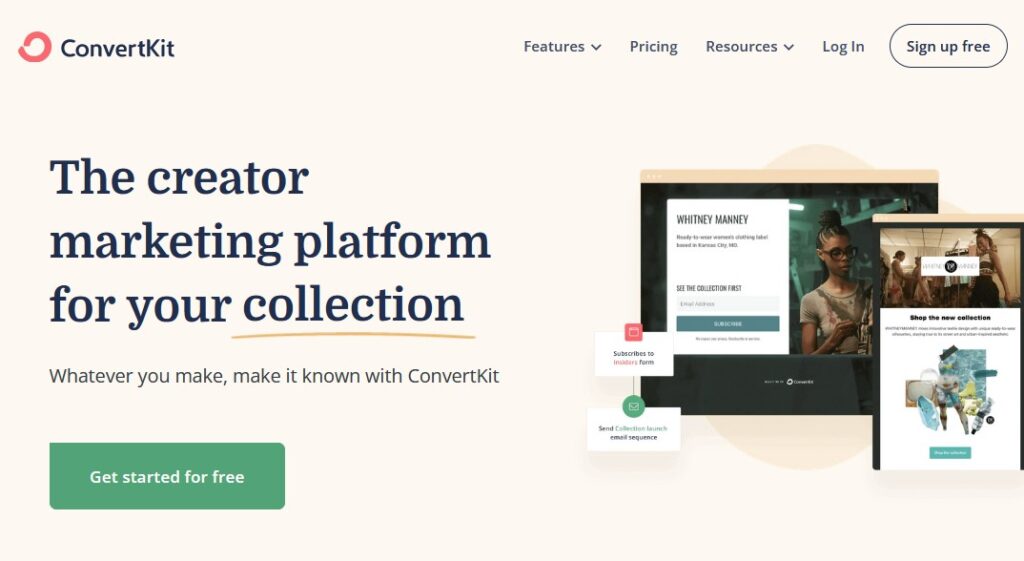
Go to the ConvertKit website and sign up for a free account, if you don't already have one:
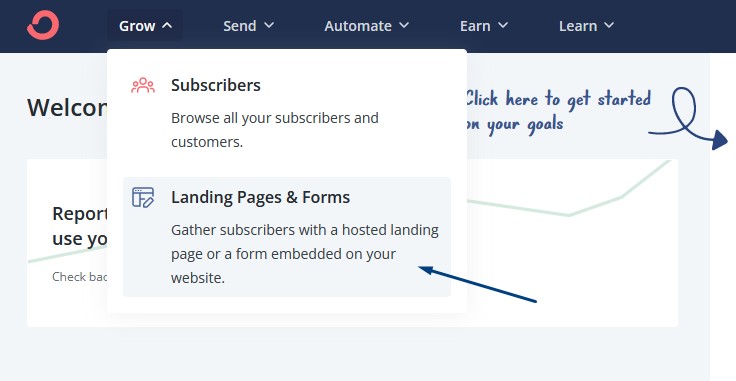
Inside your account, navigate to "Landing Pages & Forms":
Then click "Create a landing page":
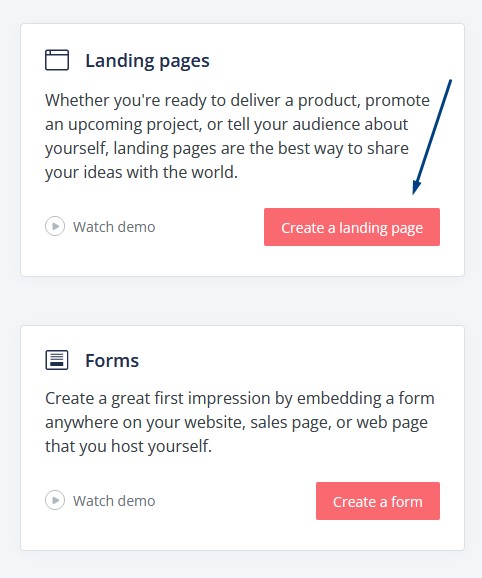
You'll see a collection of landing page templates you can choose from:
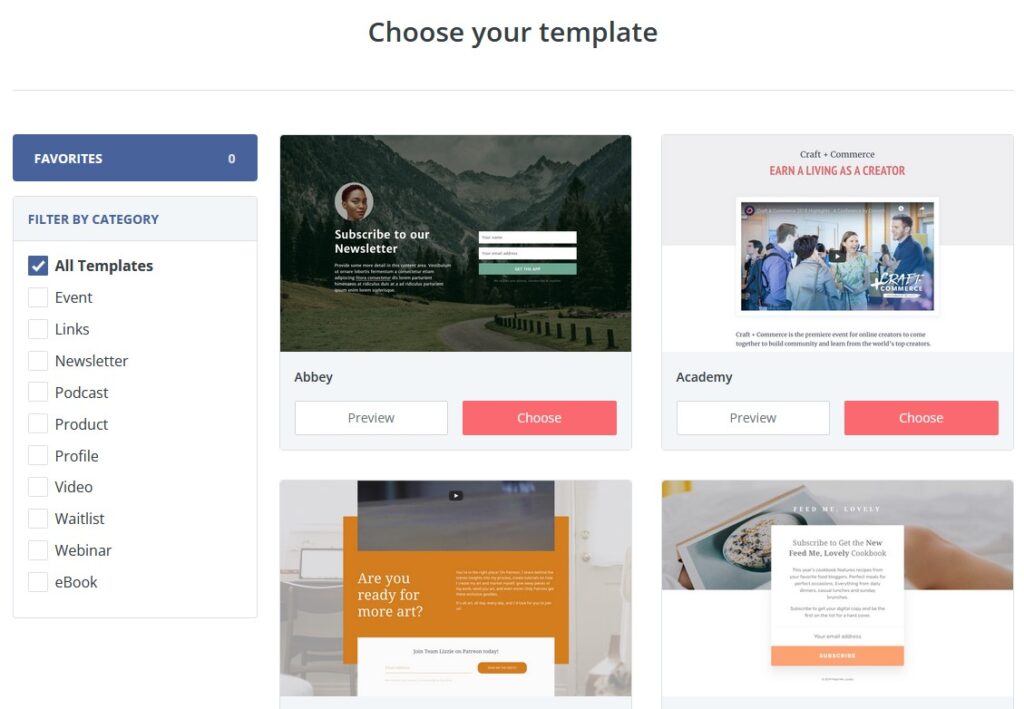
You can preview them to take a closer look. Here's one I like:
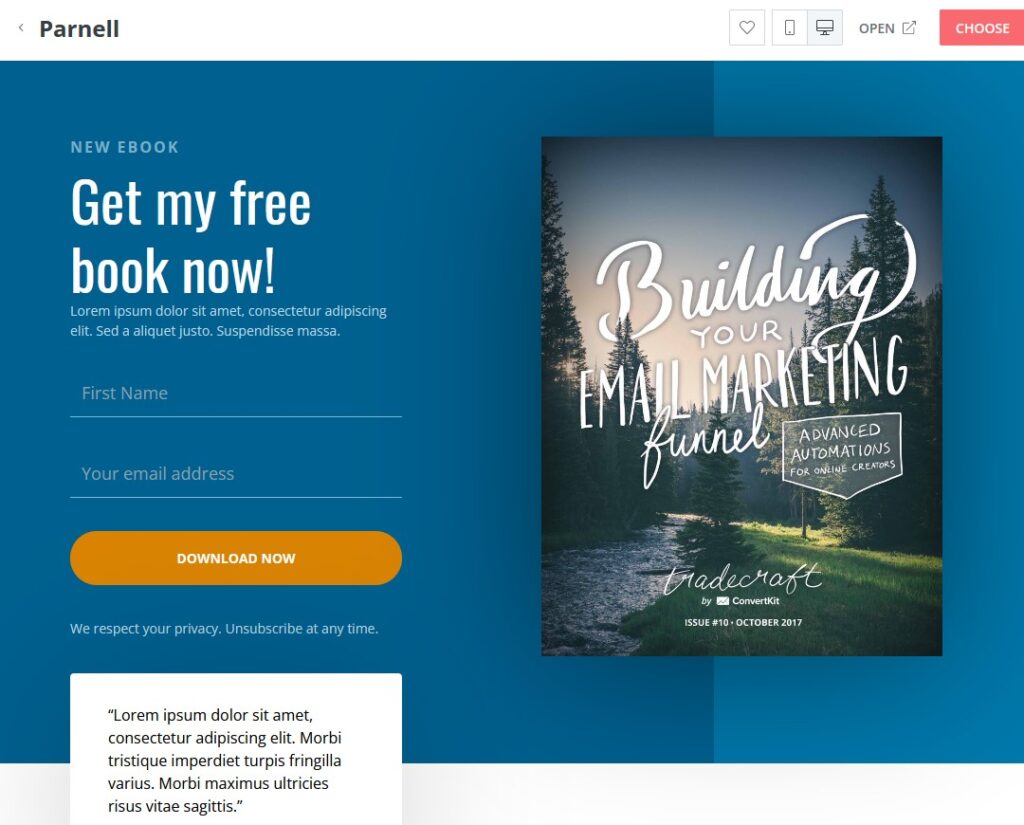
Click "Choose" and then the Settings button:
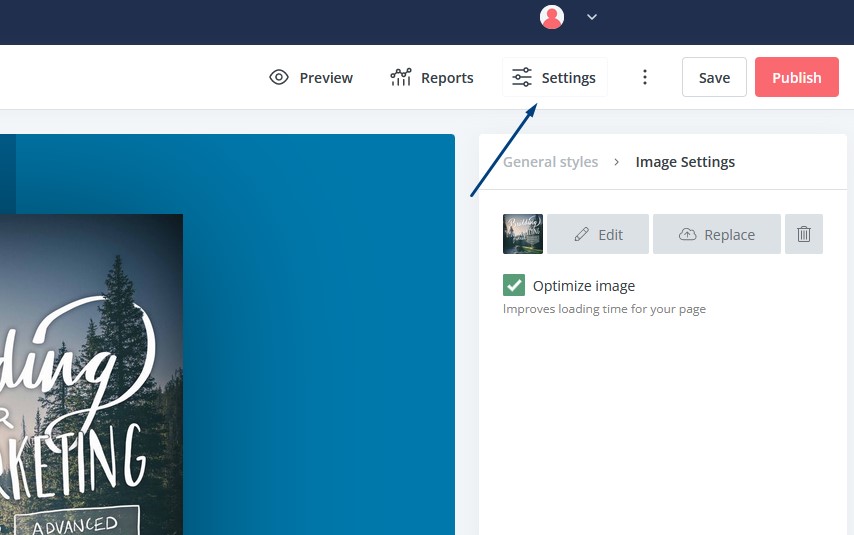
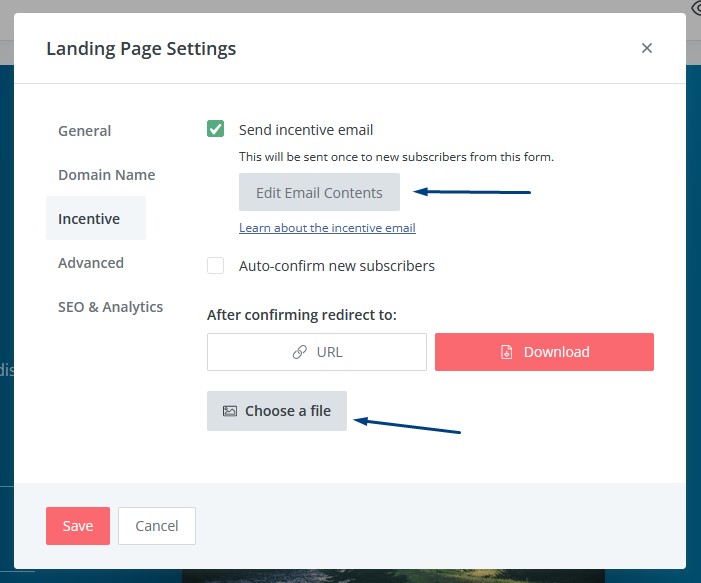
Here's how to attach your lead magnet to the opt-in form. Select "Incentive" on the left tab and click "Choose a file". You can also edit the contents of the welcome email if you like:
Next, click the "Domain Name" tab and select the Custom Domain. Enter a page URL, like "free-gift", and click "Add":
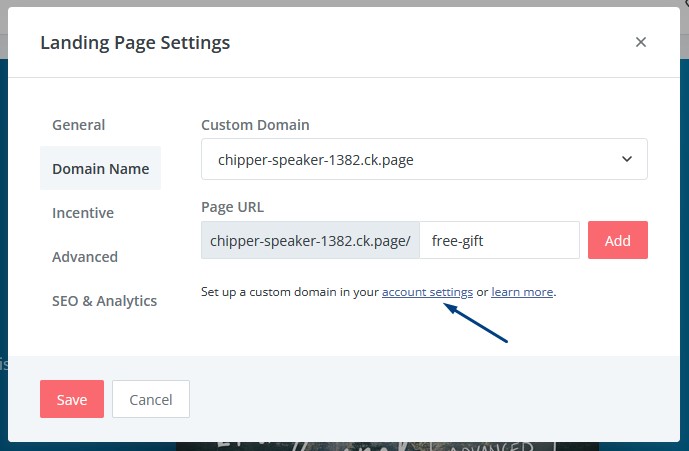
If you want to use your own branded domain, you'll need to upgrade your account. You can set this up by clicking the "account settings" link.
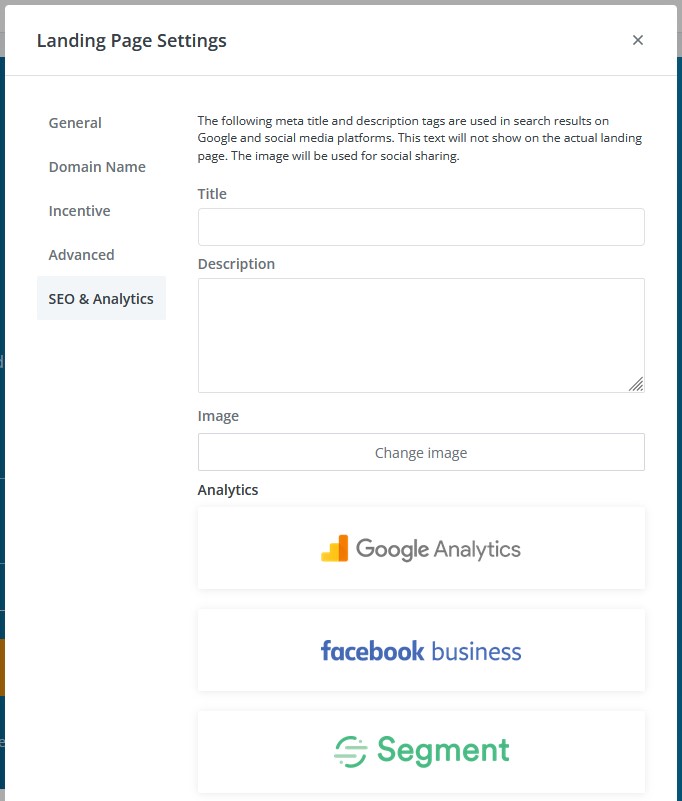
Last, in the settings you can add a title and description to boost your page's SEO. You can also connect the page to Google Analytics to track its performance:
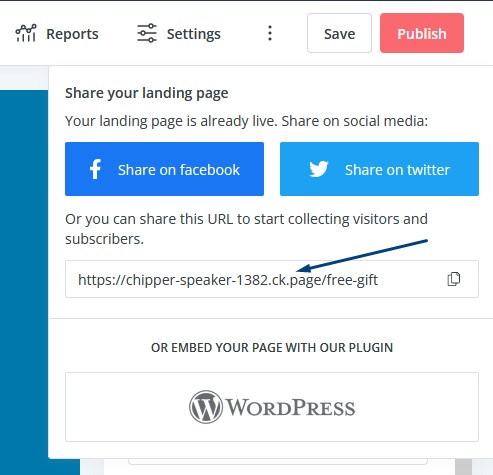
Now, when you publish your changes, your landing page will be live and you can view it by visiting the link you created:
Here's what my page looks like:
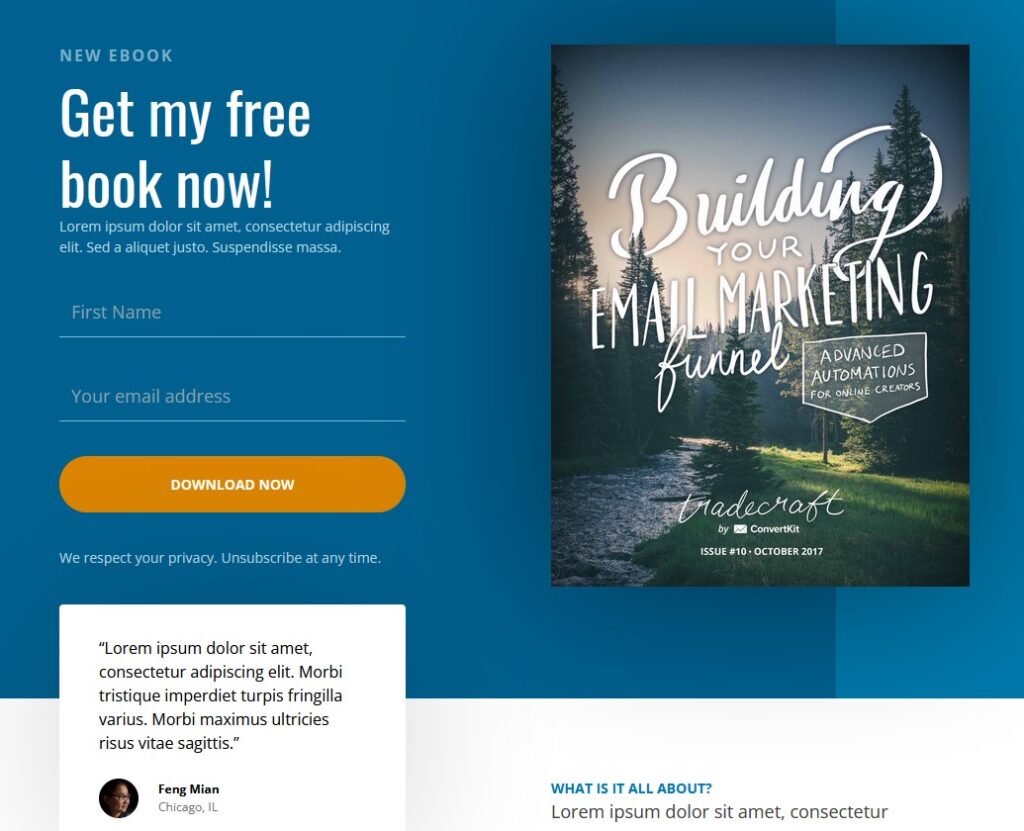
But, we're not done yet. We need to edit the copy of the page itself. ConvertKit makes it super easy to customize your landing pages, using the frontend editor.
5 Landing Page Copywriting Tips
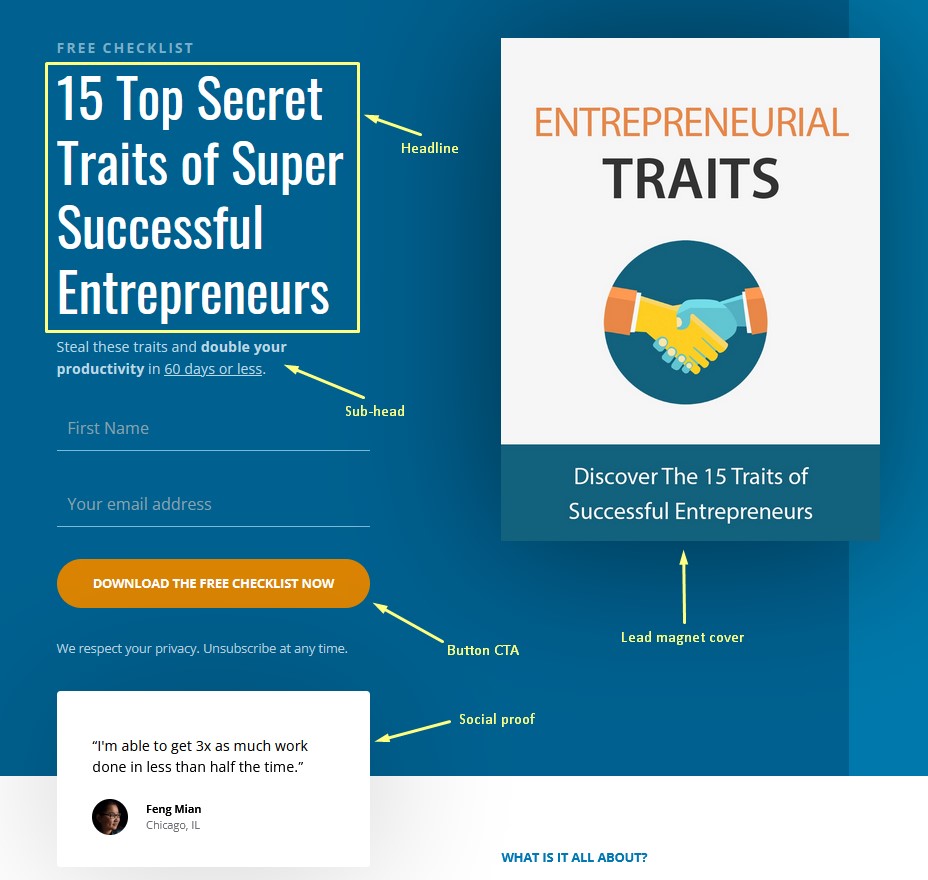
When writing the copy for your landing page, here's what you want to pay attention to:
- The headline: Use attention-grabbing words, curiosity, numbers, and alliteration to get your audience excited to learn more.
- The sub-head: Build desire and specificity by adding results-focused and time-based language to your copy.
- The image of your lead magnet: Show them exactly what they are getting to make it feel more tangible.
- The call to action: Use a clear and specific call to action to prevent any confusion.
- Social proof: Add testimonials to increase credibility and reputation.
This is what I came up with:
ConvertKit is a very useful tool for content creators and businesses and we highly recommend it.
Once you've finished your landing page, you can move on to the next step, which is to add the landing page URL to some key areas of your YouTube channel.
Let's do that now.

Step 3. Link to Your Landing Page From YouTube
Time for the third step on how to build an email list from YouTube. Did you know there are several places on YouTube you can insert your landing page URL?
It's true.
And in this section, I'll show you exactly where some of the most successful YouTubers place their links.
You can probably guess the first place and that's the video description box. It's effective because people naturally check the description for more details about the video.
It works even better if you give a call to action in the video. For example: "Check the link in the video description to download your free lead magnet."
Here's the YouTube channel Primal Video with a great example:
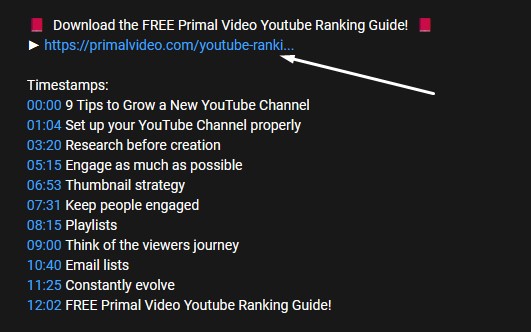
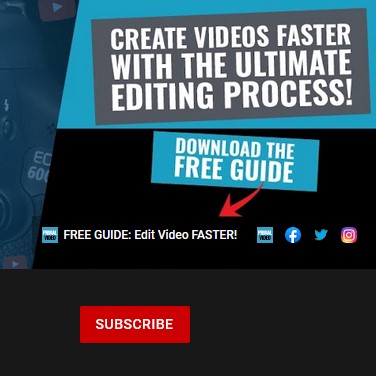
They are linking to their free guide with a catchy title above. You want to explain exactly what your lead magnet is to convert as many people as possible.
Another place is in your comments. Yes, you can add a comment on your own YouTube videos to engage with your viewers and link to your lead magnet.
Then, you can pin the comment so it stays at the top of the comments section.
Anastasia Blogger does exactly this on some of her videos here:
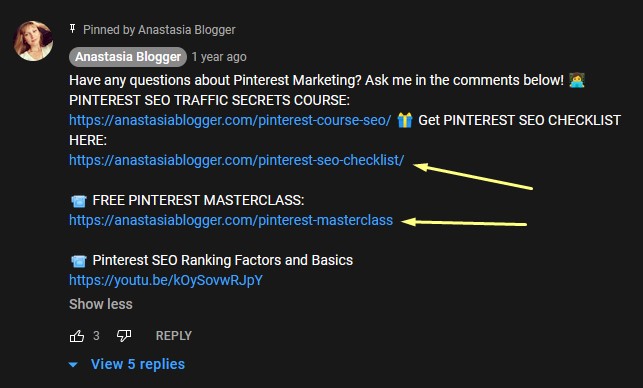
Anastasia has a few links going on here, which might hurt her conversions.
Still, it's a great idea to add a link to your lead magnet in your comments section because it's where the conversation is.
The last place to add your landing page link is in your YouTube channel banner. This is where many YouTubers place links to their website and chosen social media platform.
But, you can also link to your lead magnet to increase the chances of your audience joining your email list (but make sure to also perform occasional email list scrubbing).
Again, the Primal Video guys use this area to clearly advertise their lead magnet "FREE GUIDE: Edit Video FASTER!":
So far, you have learned how to create a compelling lead magnet, how to set up a free landing page with ConvertKit, and how to add links to your YouTube channel so your audience can find it.
Next, you'll learn a simple trick for finding relevant content ideas to get more eyes on your videos.
Step 4. How to Create Relevant YouTube Videos
It's great having an impressive lead magnet to grow your email list, but if no one watches your videos, no one will sign up. You'll need to get free YouTube subscribers.
That's why it's important to consistently publish content to grow your YouTube channel as the fourth step in how to build an email list from YouTube.
How?
By publishing relevant videos in your niche to boost YouTube views and convert more viewers into email subscribers.
Before I share this simple strategy for finding content your audience will love, let's look at why relevancy is so important.
- Relevancy builds credibility: When you help your audience with a specific outcome within your niche, your audience will trust your judgment on the topic and see you as the go-to authority in the space.
- Videos relevant to your lead magnet will convert more sign-ups: If your lead magnet complements your YouTube videos and helps viewers achieve their goals, you'll have a higher conversion rate and optimized email campaign.
- Creating relevant videos sends a positive signal to YouTube: The YouTube algorithm wants to suggest the most relevant content on the platform. The more your videos relate to one another, the more the algorithm will favor your channel.
Bonus tip: for optimal performance, create multiple lead magnets, each relevant to different topic clusters of your videos.
For example, if you talk about SEO and speed optimization, create two separate lead magnets for your channel and segment your subscribers based on the lead magnet they sign up for.
There are many ways to grow a YouTube channel, but adding more content consistently is one of the best marketing strategies.
To do that, you need a system for finding relevant videos so you always know what to record next.
Here how.
Finding YouTube Video Ideas to Get More YouTube Subscribers
Head over to YouTube and search for a keyword that's relevant to your niche:
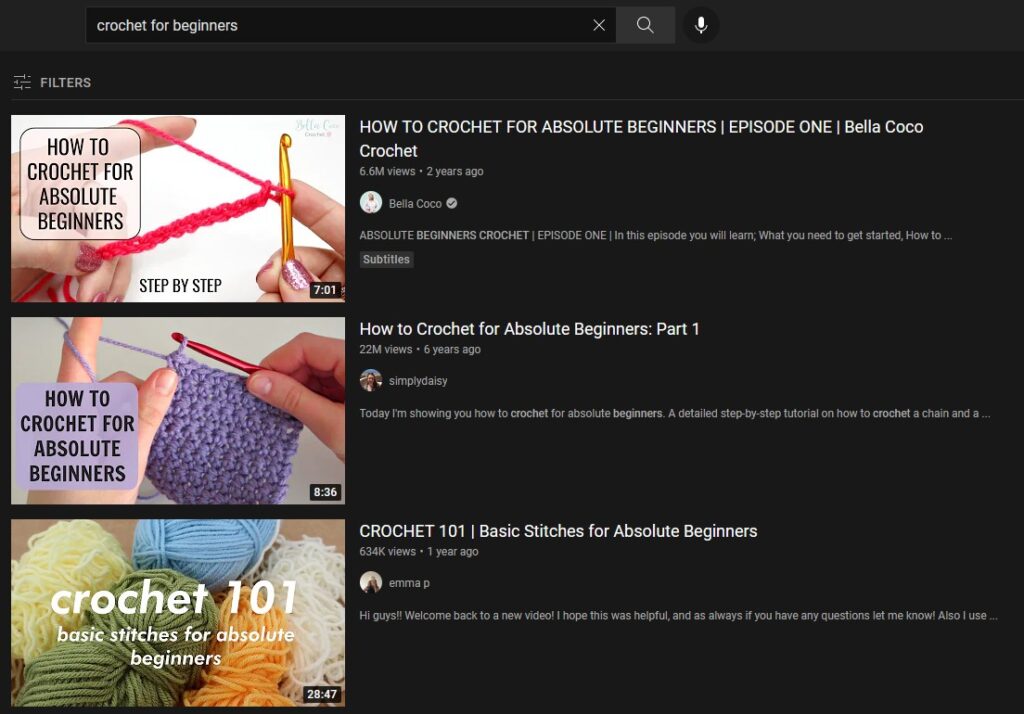
You want to find YouTubers who create content similar to what you want to create and that applies to your lead magnet.
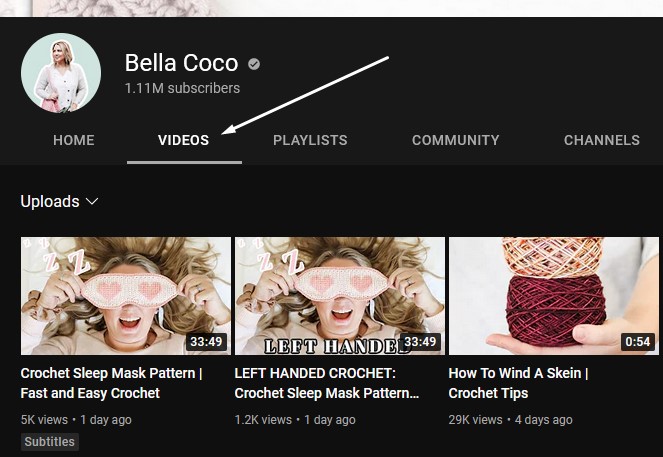
Click on the channels that are closely related to your YouTube channel and click on their Videos page:
Then, sort the videos by "Most popular" which will show the most-watched videos on the channel:
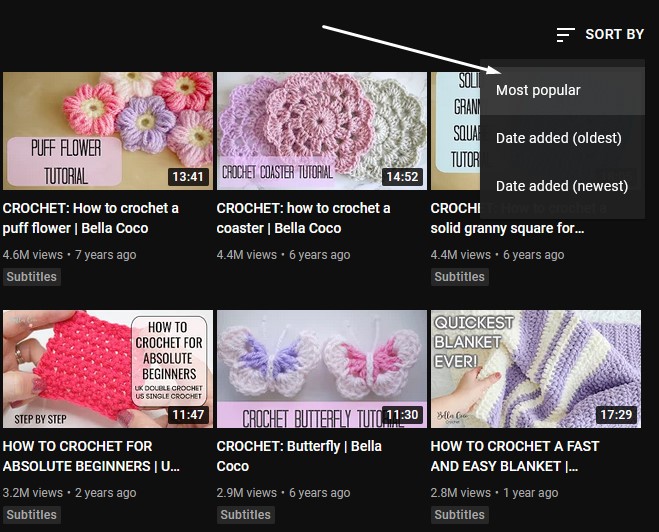
If my niche is "crochet" and my channel helps people crochet blankets and other items, then these videos would be a good fit for my channel:
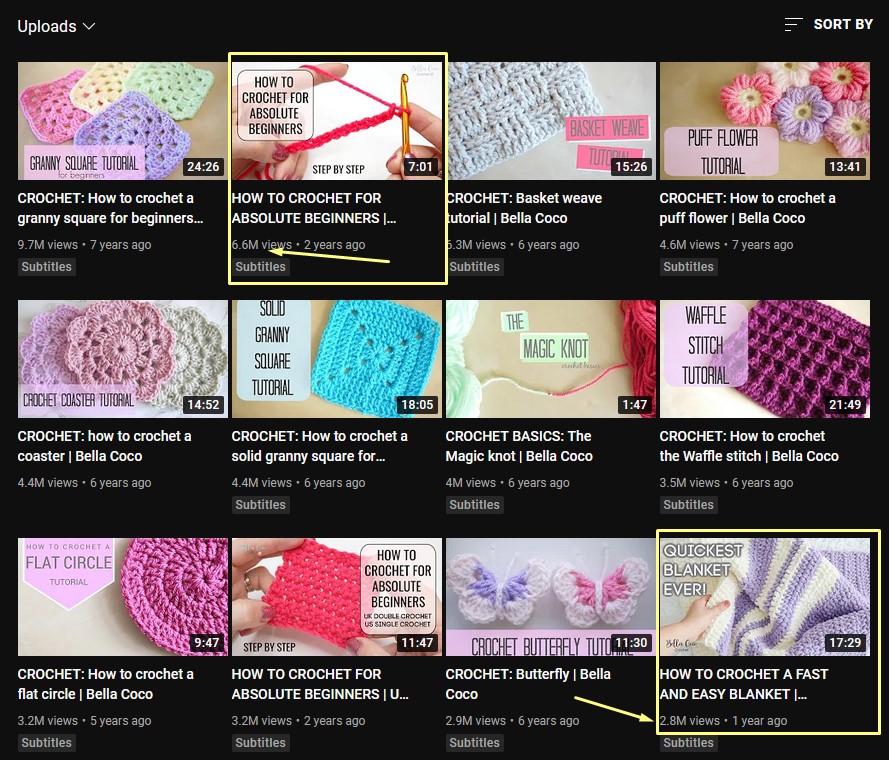
You can add the title of the video, view count, and main talking points to a spreadsheet for future reference.
Try to find 5-10 video ideas from each YouTuber's top 20 performing videos. Add them to your video content ideas spreadsheet to stay organized.
When you publish a new YouTube video from your list, try to follow these guidelines:
- Use the most relevant keyword in the video's title. This is how people will find your videos in search results.
- Mention the main keyword in the video so YouTube understands what it's about.
- Also, mention your lead magnet in the video (more on that in the next section).
- Mention your other videos your viewers might like to increase watch time.
There are many other ways to keep viewers engaged in your video content, but these are the strategies taught by most online course experts.
Step 5. Promote Your Lead Magnet
The last piece of the puzzle in how to build an email list from YouTube is to tell your audience about your lead magnet.
You can do this in several ways.
The best way is to mention it at the start of your video after you've introduced the video topic. You can get straight to the point and plug your free offer.
Your pitch could look something like this:
"Before I get into the video, I have a question for you... Do you want to double your productivity in the next 60 days? If the answer is yes, then click the link in the video description to download your free checklist, 15 Top Secret Traits of Super Successful Entrepreneurs."
It's as simple as that.
Some YouTubers mention their lead magnet at the beginning of the video or at the end (or both). You can mix it up a bit and see which works best for you and your target audience.
Once you have your email list, you can look into how to start an email marketing campaign.
Best of luck!
Conclusion
I hope you found value in this article on how to build an email list from YouTube.
YouTube is a great platform to use for growing your online business and email subscribers.
The key is to take consistent action, track your performance, and make adjustments to improve your process.
Want to grow your email list but don't have a website? Read our article on how to build an email list without a website.
Related Posts







Want to learn step-by-step how I built my Niche Site Empire up to a full-time income?
Yes! I Love to Learn
Learn How I Built My Niche Site Empire to a Full-time Income
- How to Pick the Right Keywords at the START, and avoid the losers
- How to Scale and Outsource 90% of the Work, Allowing Your Empire to GROW Without You
- How to Build a Site That Gets REAL TRAFFIC FROM GOOGLE (every. single. day.)
- Subscribe to the Niche Pursuits Newsletter delivered with value 3X per week
My top recommendations